Overview
The knowledge graph builds a visual map of documents and wiki links in your workspace. Node layout physics are computed using the shared Rust core's force layout engine (graph_layout_step) and rendered smoothly on each platform.
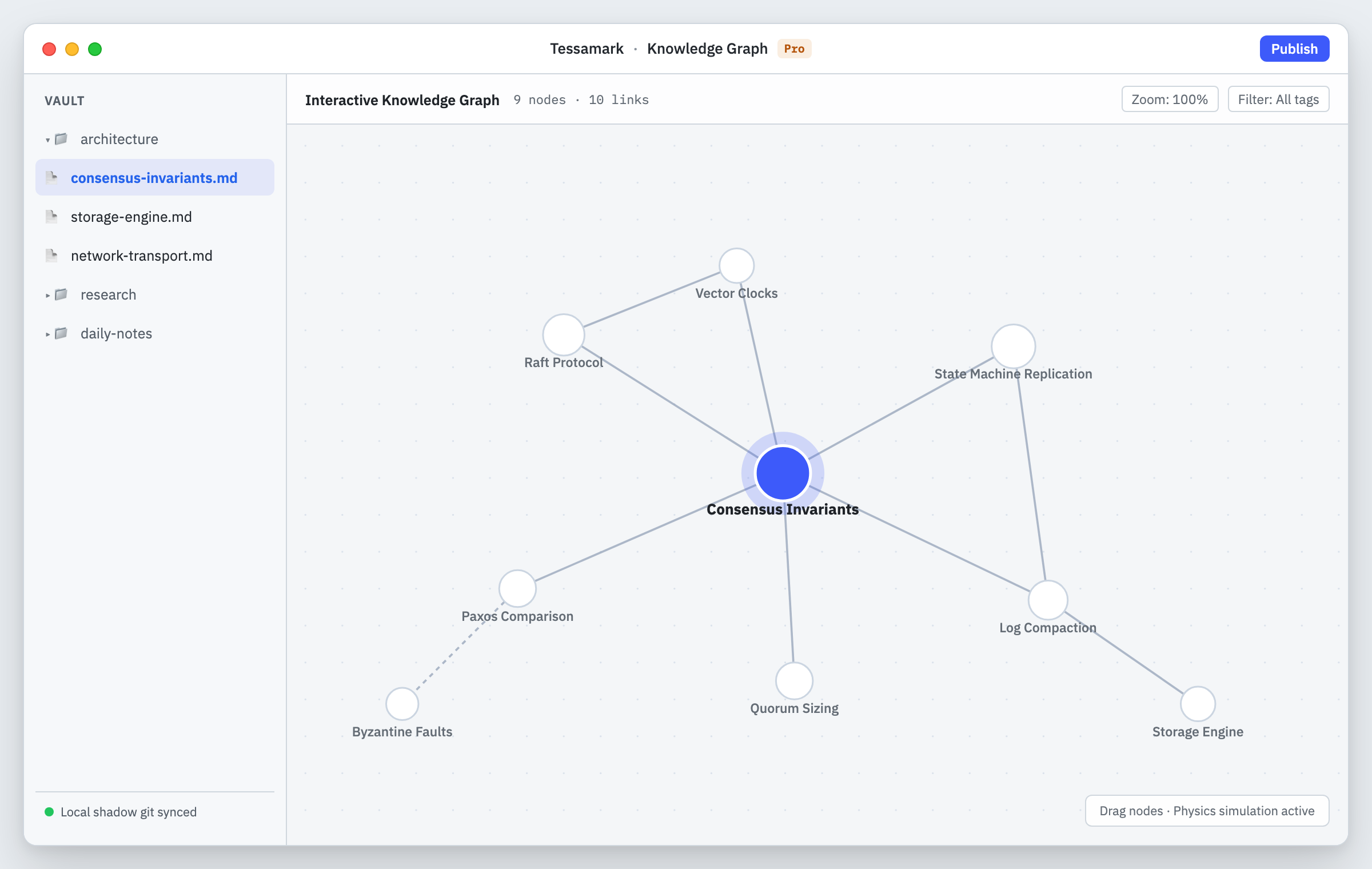
The force-directed knowledge graph reveals connections and clusters across your notes.
Nodes, edges and clusters
Every note in your workspace is represented as a node. When one note references another through a wiki link [[Target]], an edge connects them.
- Connected notes: Notes that share links gravitate toward each other through simulated spring forces.
- Unresolved links: If you link to a note that does not yet exist on disk, the graph renders an unresolved ghost node. Clicking a ghost node triggers wiki link creation to create the note in the same folder as the current note.
- Orphaned notes: Documents with no incoming or outgoing links settle on the periphery.
Exploring the graph
You can pan across the canvas, zoom in and out, and drag individual nodes. Dragging a node pins it under your pointer while other nodes dynamically adjust their positions.
Clicking any existing note node opens that document directly in the editor.
What free retains
The visual graph canvas is part of Tessamark Pro. On the free tier, wiki links and reciprocal backlinks continue working completely without restriction.